User Research
Throughout the project, the UX team had the opportunity to interview academic advisers to understand their workflows, identify pain points, and validate design decisions. To keep the project scope manageable, we decided to focus on creating a chatbot specifically for academic advisers at the College of Information Sciences at Penn State, a domain we were already familiar with.
In the interviews with advisers, we asked questions like:
- Which parts of scheduling feel most repetitive or time-consuming?
- What are students’ biggest concerns during advising?
- Do students often come to advising without a planned schedule? If so, how do you usually handle it?
Some of the insights we discovered from these interviews include:
- Advisers look at suggested academic plans for each major to help suggest classes to take
- Academic advisers take notes at every meeting, which need to be emailed out after
- Substituting a class for a student is difficult and nuanced, requiring a lot of the advisers’ time
- Policies and programs change over time, which requires advisers to reference multiple resources
These findings highlighted the complexity and nuance of advising. They also revealed opportunities to integrate AI into advisers’ workflows to improve efficiency. However, certain tasks would not be suitable for AI such as making final decisions and substituting classes.
Deliverables
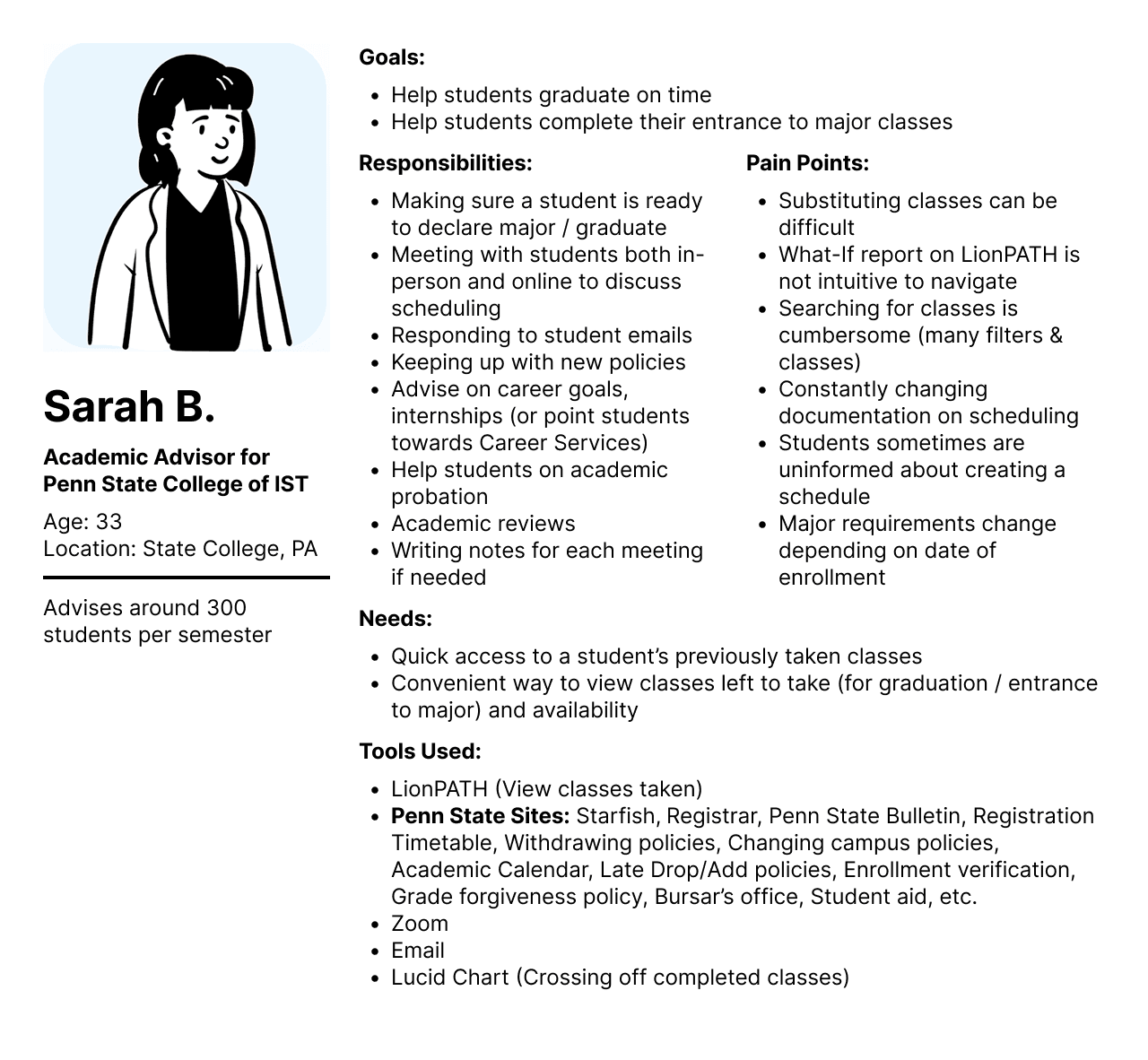
Persona
To better help our users needs and goals, we created a persona to represent them.
Hierarchical Task Analysis Diagram
We also created a hierarchical task analysis diagram to break down what happens in an academic adviser meeting. This diagram helped us narrow down what aspects of advising were appropriate for smart automation.
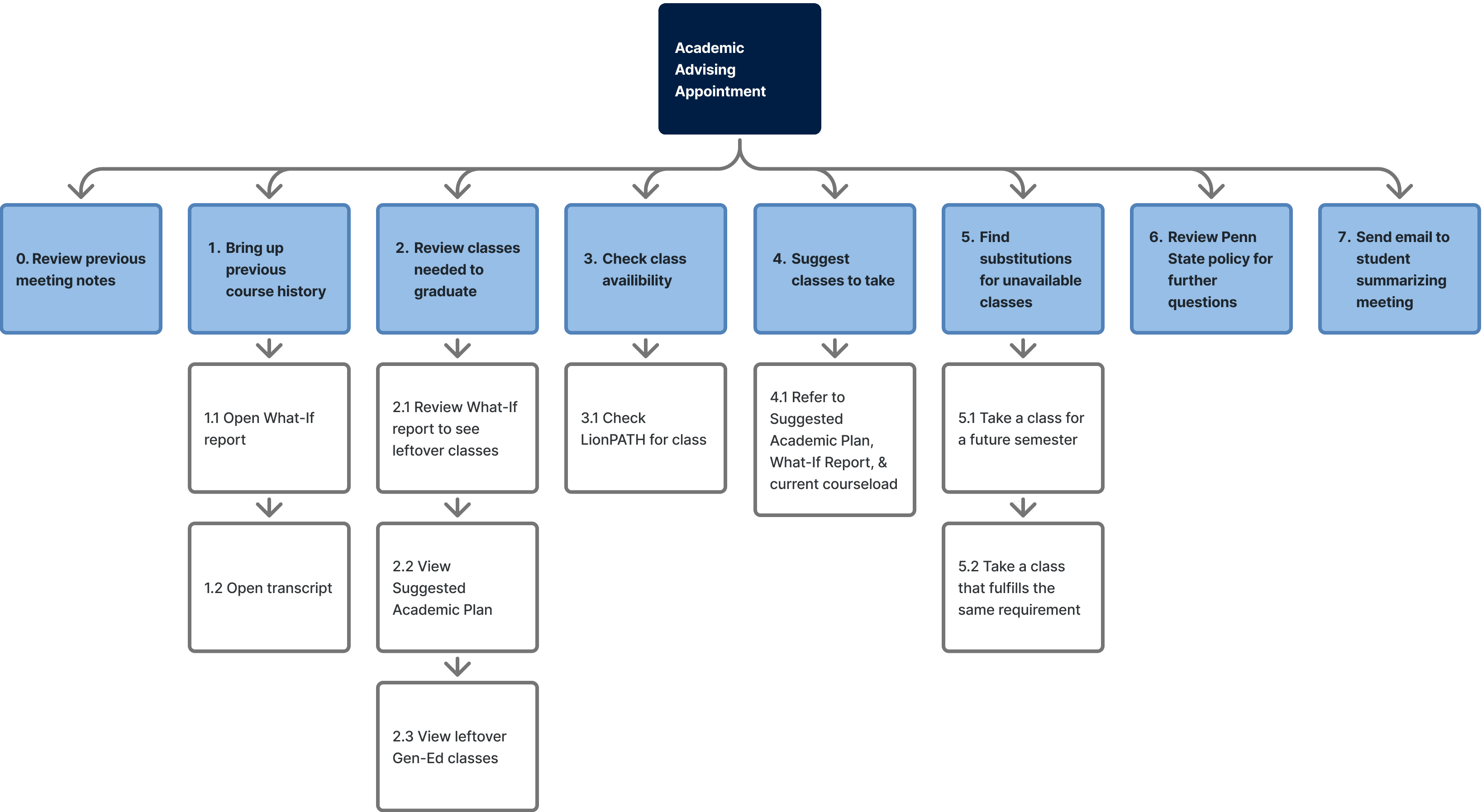
We decided to focus on tackling the following parts of academic advising:
1. Bring up previous course history
2. Review classes needed to graduate
4. Suggest classes to take
7. Send email to student summarizing meeting
1. Bring up previous course history
2. Review classes needed to graduate
4. Suggest classes to take
7. Send email to student summarizing meeting
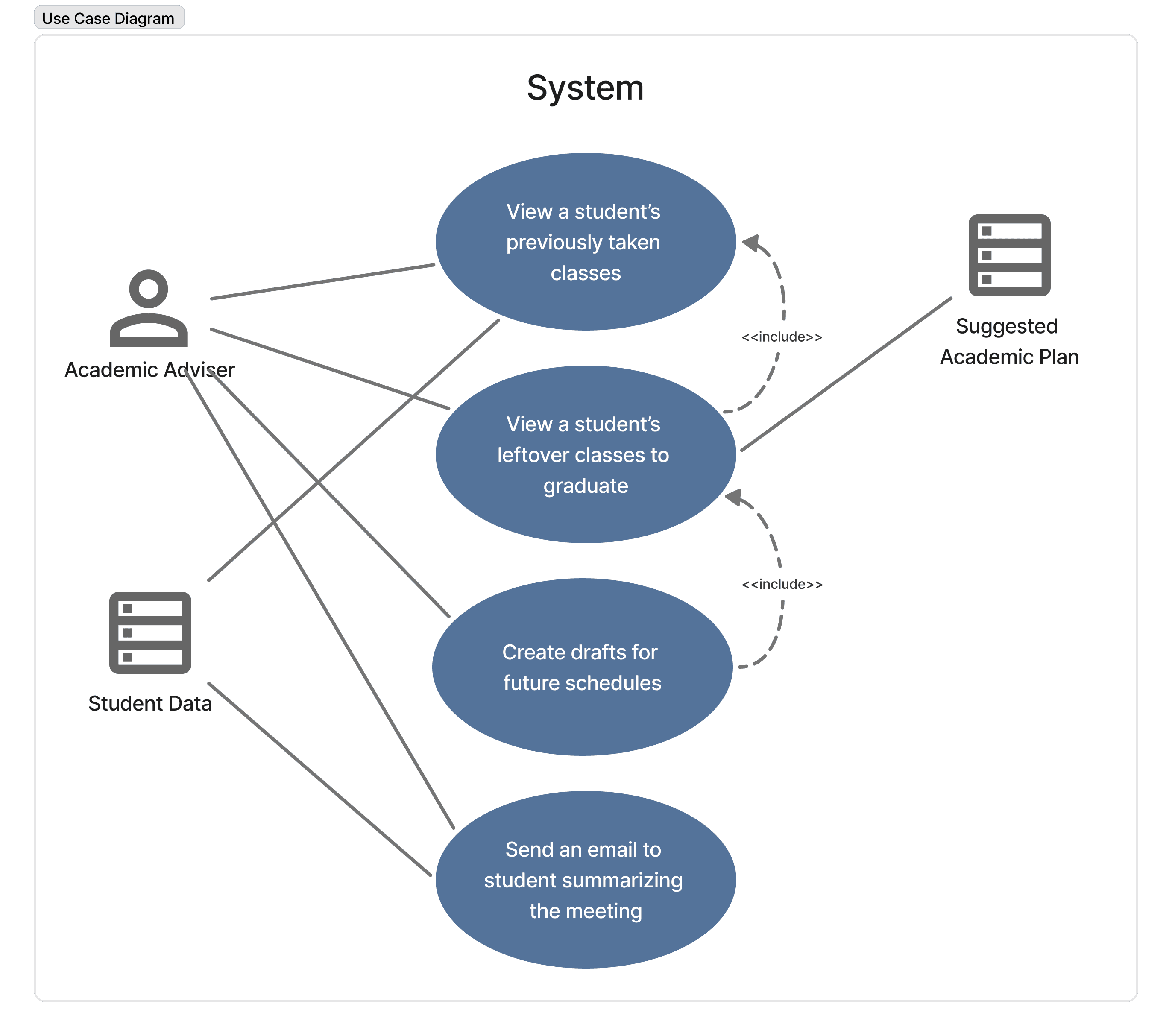
Use Case Diagram
To decide what functionalities our chatbot would include, we created a use case diagram.
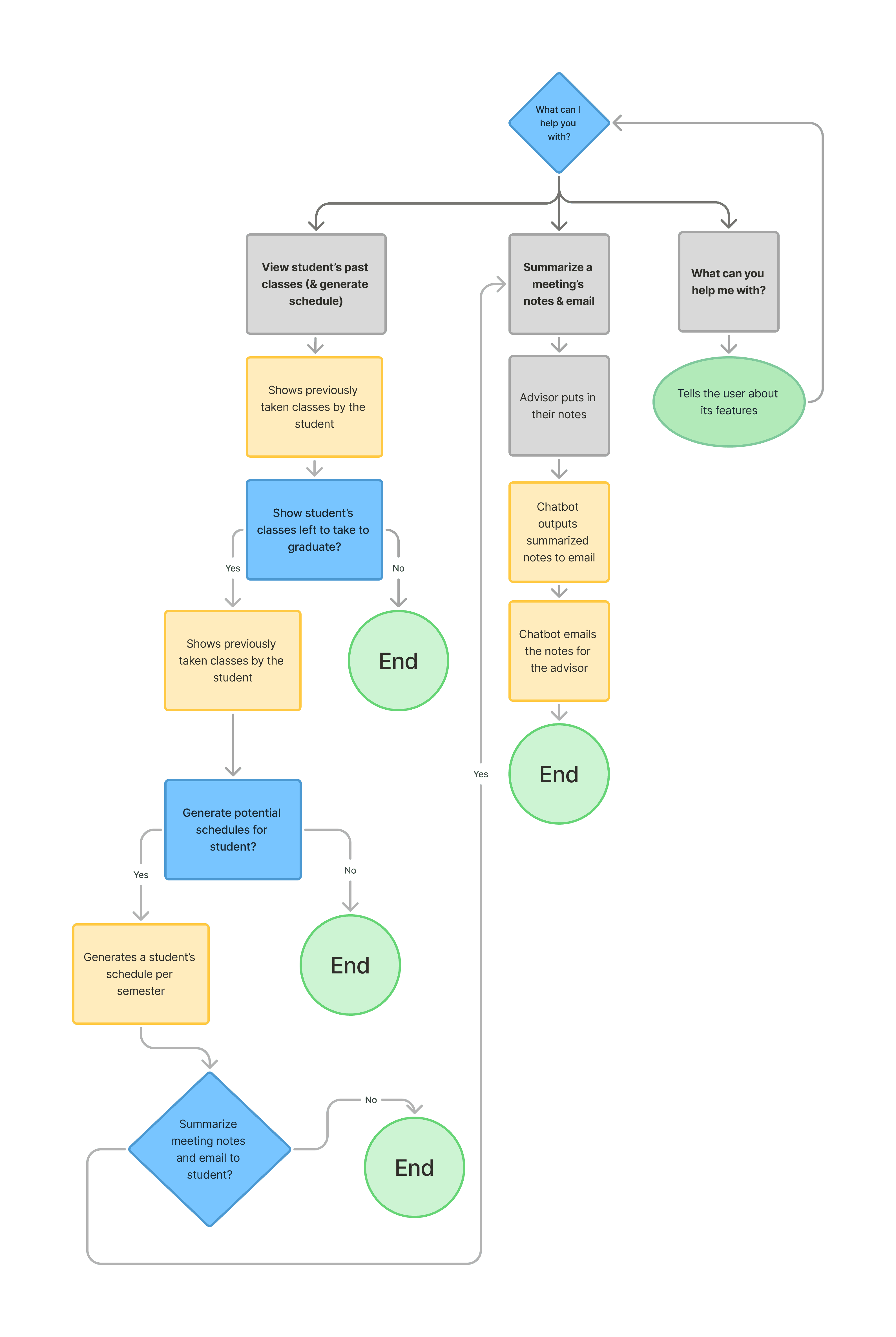
Use Flow Diagram
This user flow diagram shows the process in how a user proceeds through the chatbot.
Wireframes
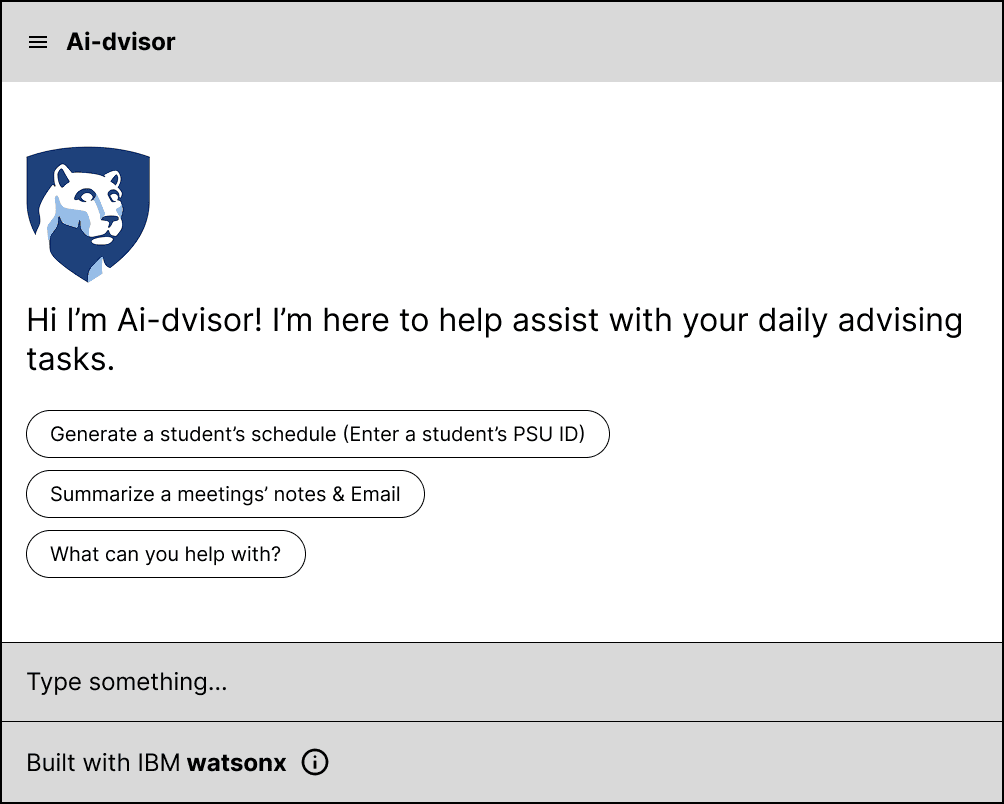
These wireframes were created to demonstrate how a user would interact with the chatbot and the different use cases for it.
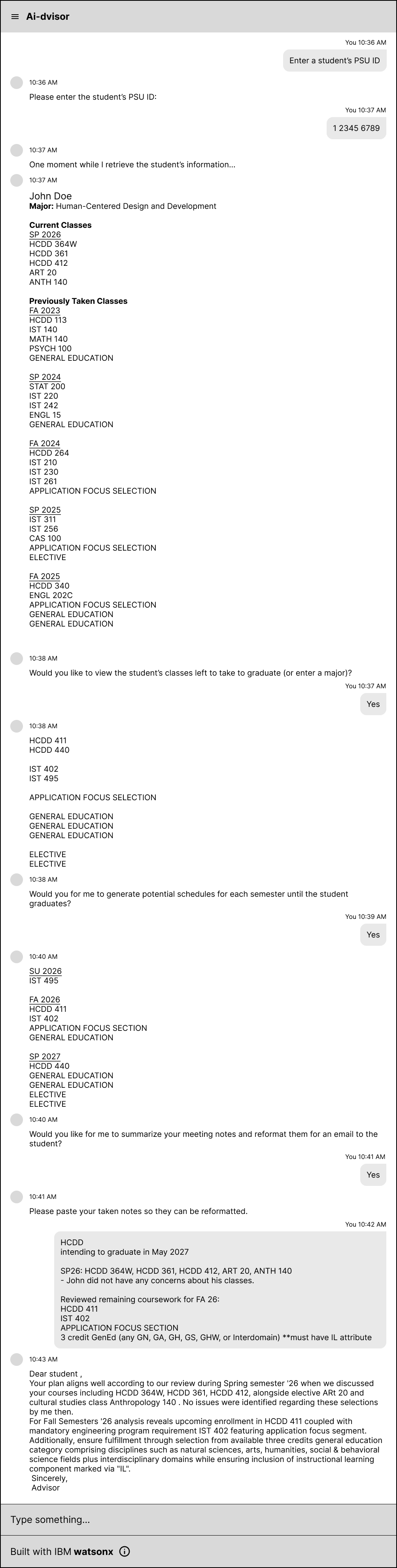
This wireframe shows an example flow of an academic adviser pulling up a student's previous course history, showing what classes the student has left to take, generating a schedule based off these classes, and then creating an email to be sent to the student.
Prototype
In concert with the development team, we created a prototype of the chatbot using IBM's watsonx software.
We created high-fidelity prototypes for additional chatbot features that were beyond the scope of the project in Figma as well. These were features we thought would be useful if we had the additional time to develop and implement them.
- Generate Academic Reviews
- Policy Lookup
Conclusion
In conclusion, AI-dviser is an AI-powered chatbot designed to help academic advisers automate repetitive tasks like creating schedules and writing emails to students. Our prototypes demonstrated how AI could support advisers while keeping key decision making tasks under the jurisdiction of advisers.
During this project, I learned more about working together with different teams. Since the team was split into UX and Dev teams, we had meetings with each of the teams individually and together with IBM and Penn State mentors. We had to learn to communicate with others that were not as familiar with the current work we were completing. As UX designers we also had to take into account the feasibility of certain features in consideration with the tools available.
The project also was mostly student driven. Because of this, we had to choose what deliverables we created. This made me think more about why I created certain UX deliverables (use case diagram, hierarchical task analysis, etc.) and their purpose in the project.
During this project, I learned more about working together with different teams. Since the team was split into UX and Dev teams, we had meetings with each of the teams individually and together with IBM and Penn State mentors. We had to learn to communicate with others that were not as familiar with the current work we were completing. As UX designers we also had to take into account the feasibility of certain features in consideration with the tools available.
The project also was mostly student driven. Because of this, we had to choose what deliverables we created. This made me think more about why I created certain UX deliverables (use case diagram, hierarchical task analysis, etc.) and their purpose in the project.