Contextual Inquiry
To learn more about how consumers buy clothes in a real-world context, my group and I conducted contextual inquiries with participants that currently sustainably shop and with participants that do not in both in-person and online settings.
This helped us better understand how users shopped for clothes including their thoughts, habits, and what challenges they faced. During the inquiry, I focused on 3 main topics: how consumers shop, what criteria consumers use when they shop for clothes, and why they buy from a specific company.
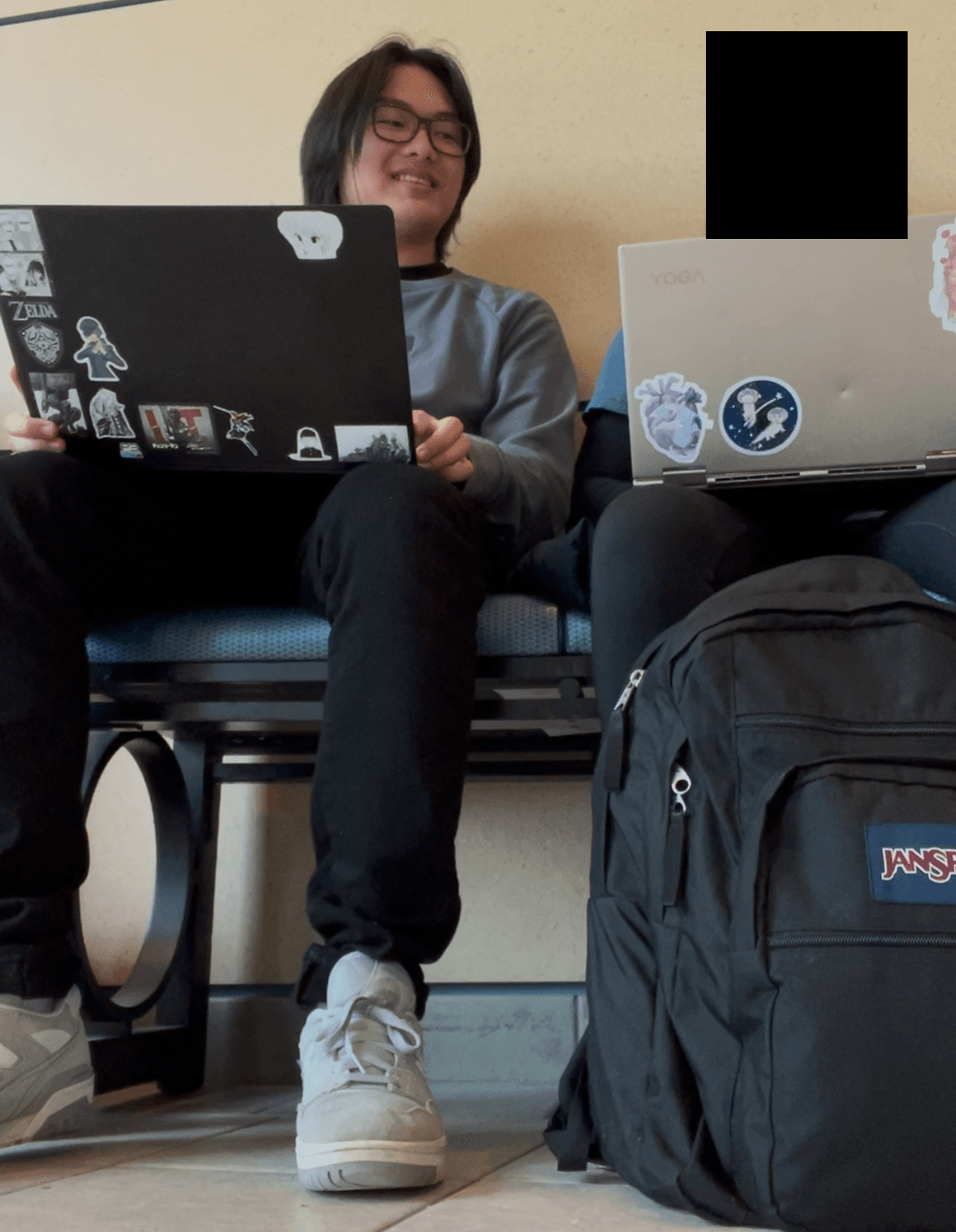
The participant I completed the contextual inquiry with was a sustainable shopper that mainly shopped for sustainable clothes online. I watched the participant search through several sustainable clothing brand websites and browse their clothes. I asked them about their process for researching a brand, decision making when buying clothes, and potential issues they run into.
AEIOU Notes
During the evaluation, I took AEIOU notes where I marked important insights. My group and I then synthesized our findings to further understand potential users for our app.
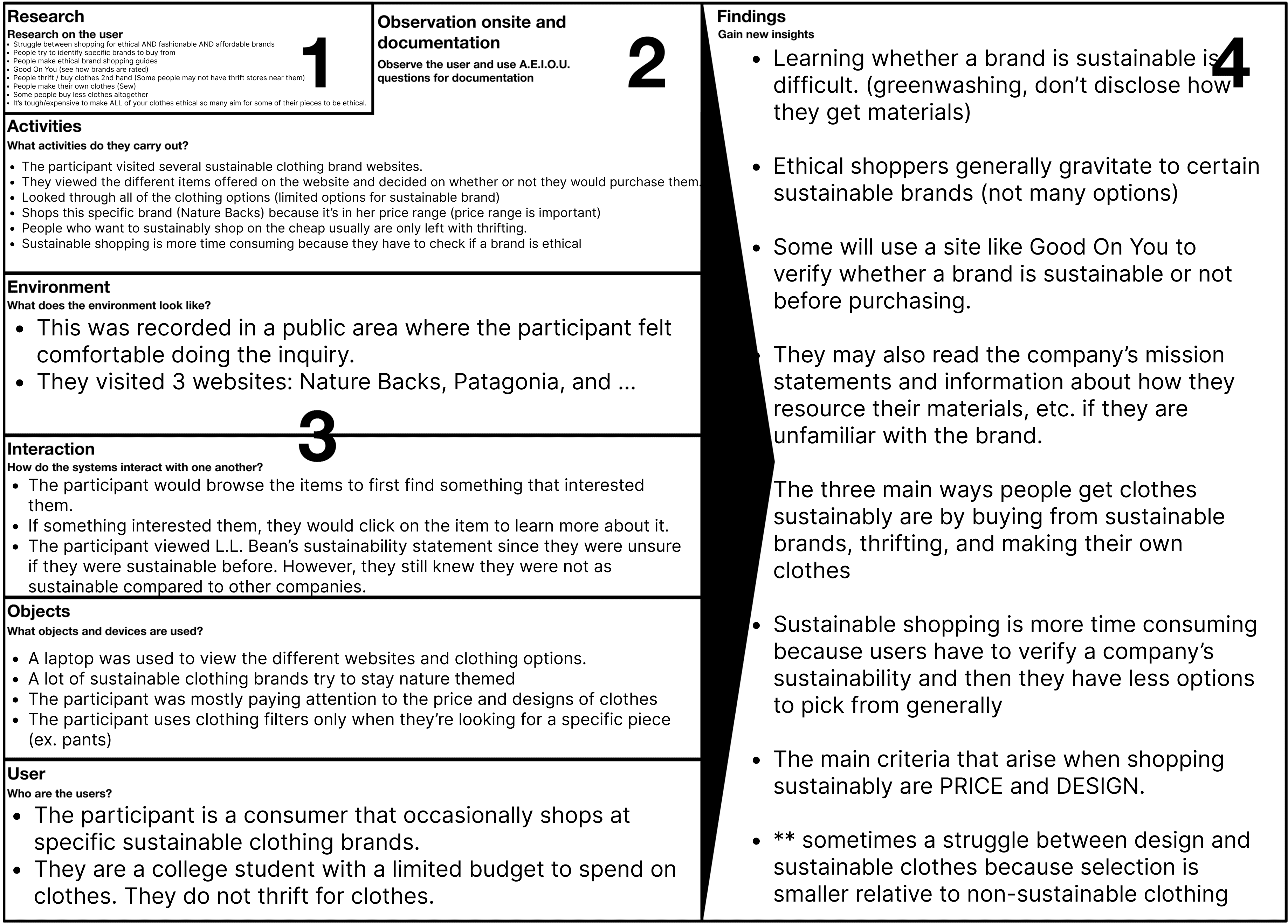
Findings
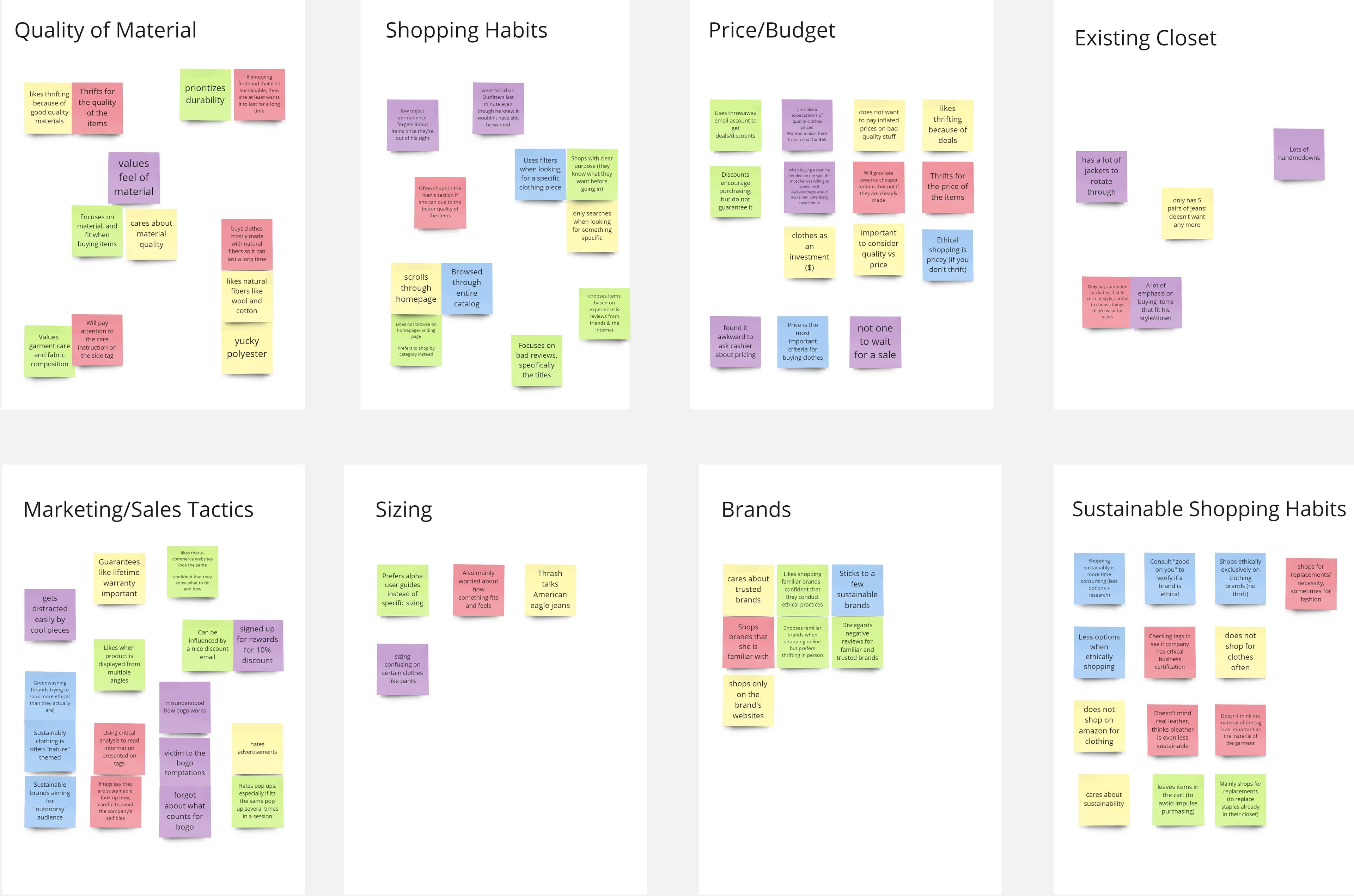
Affinity Mapping
To find patterns and sort our qualitative research data, my group and I created an affinity map. We came up with 6 main categories from our contextual inquiry data. These were quality of material, shopping habits, sustainable shopping habits, price/budget, existing closet, marketing/sales tactics, sizing, and brands. With these categories in mind, we knew for our app, we should focus on features for:
- Researching a brand's sustainability
- Discovering sustainable and ethical brands
- Sustainability awareness/education
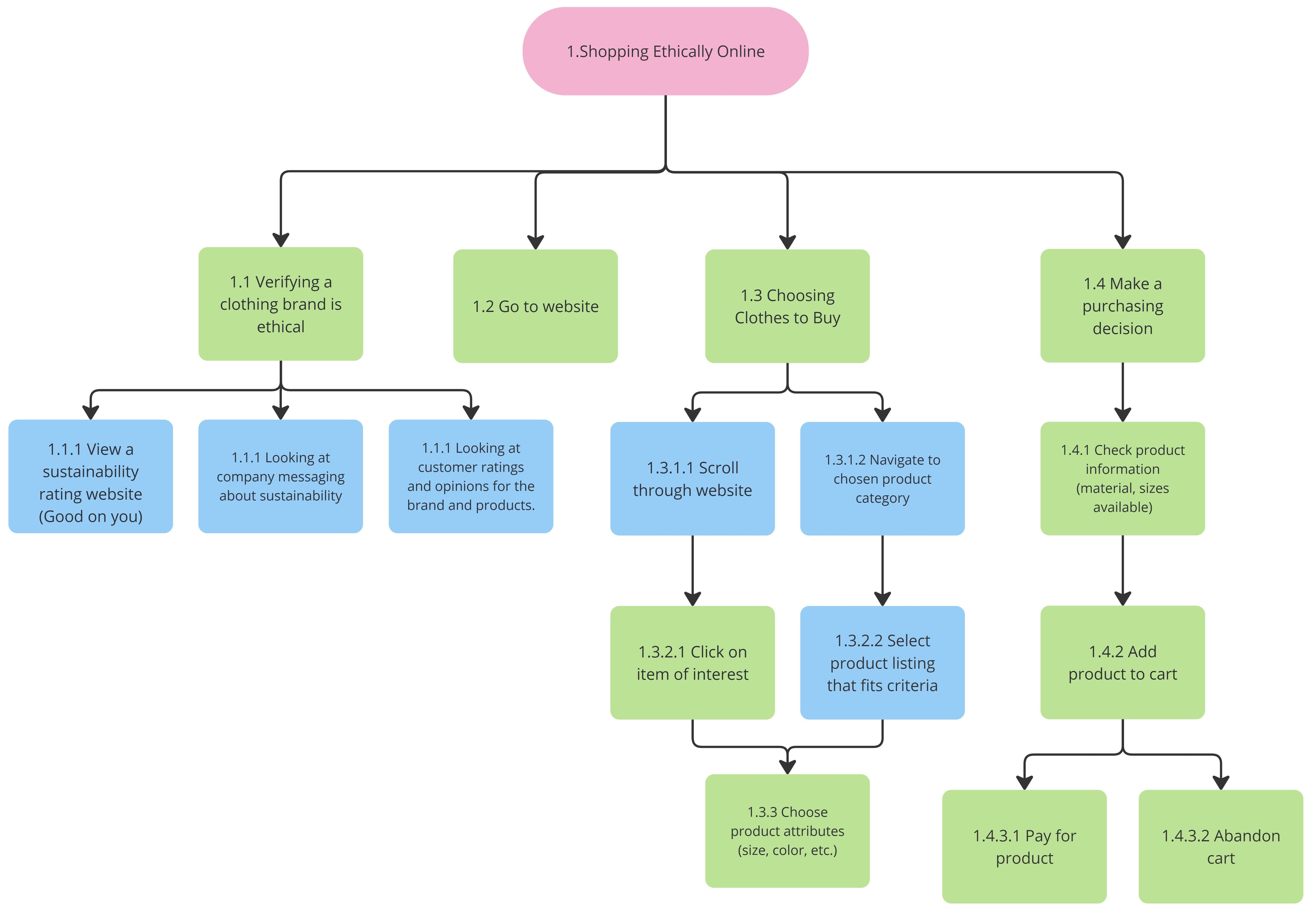
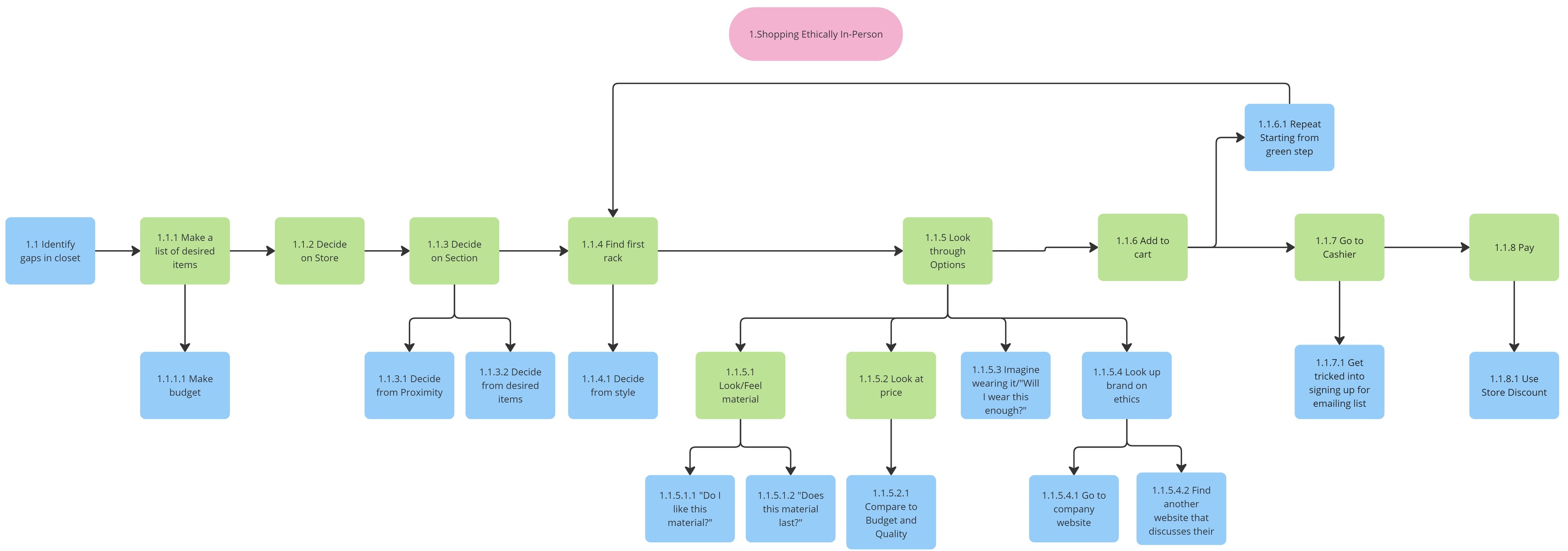
Task Analysis Diagram
To break down and further understand the tasks users complete when shopping for clothes, my group and I created two hierarchical task analysis diagrams, one for online shopping and one for in-person. By doing so, we were able to better understand in what specific ways our app could support the process of sustainable clothes.
Sketches
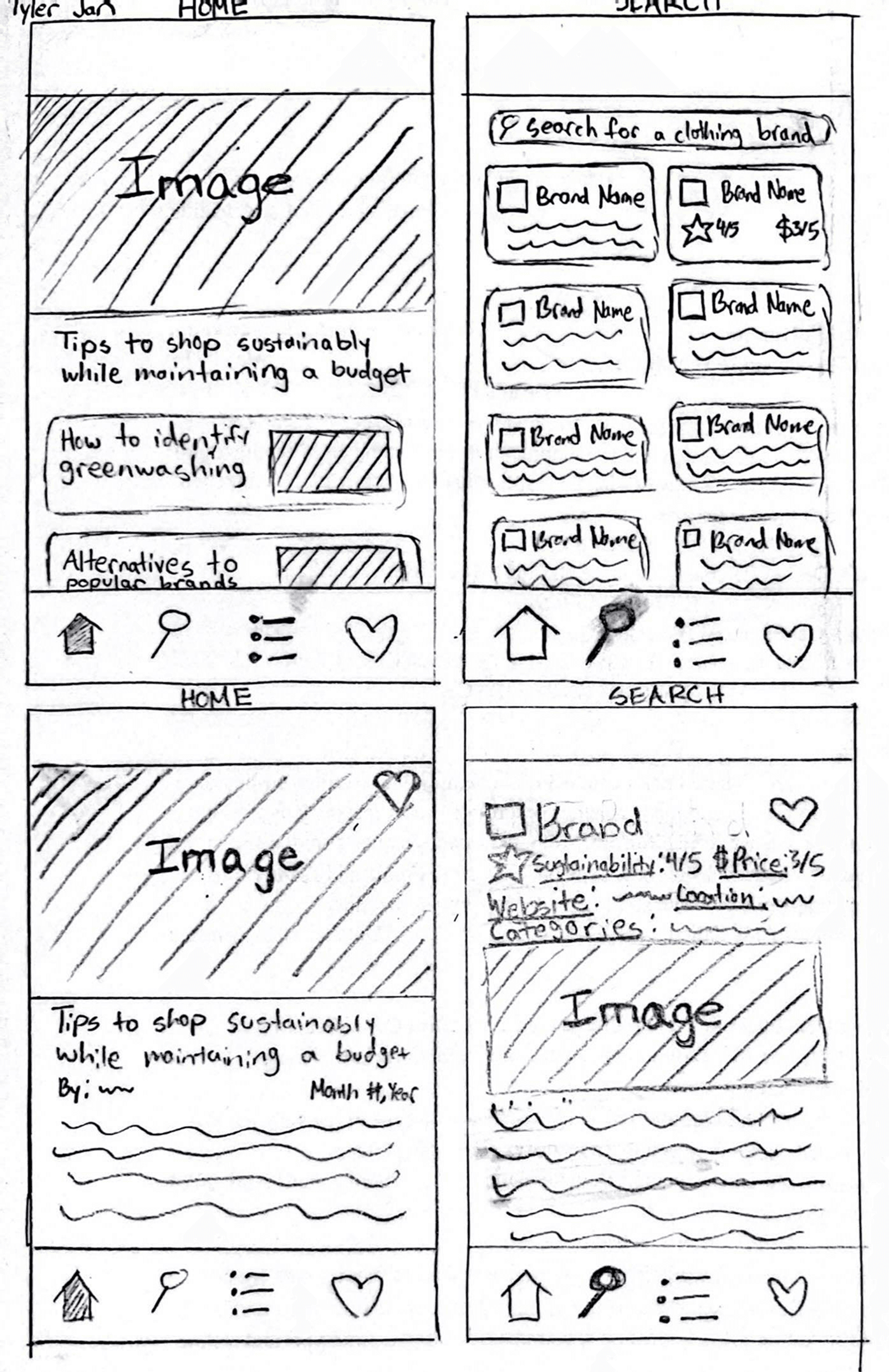
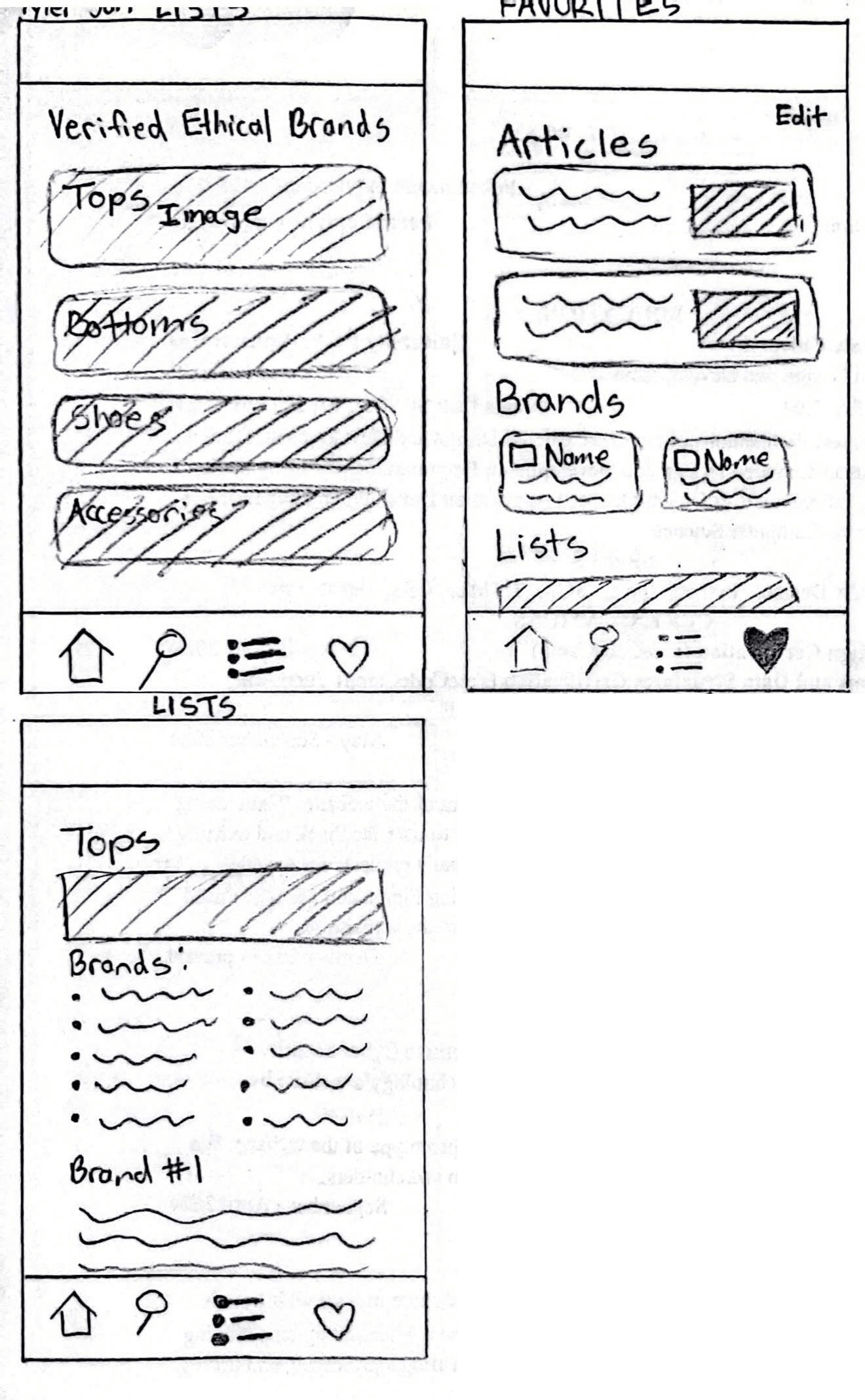
With the data from our contextual inquiries and findings from our affinity map and task analysis diagrams, we began to sketch wireframes to get a better idea of what the app would look like. In my sketches I focused on creating 4 main pages: one page for articles on sustainable practices, one for searching brands and their sustainability rating, one for curated lists of verified sustainable brands, and one for favorited items, allowing users to easily revisit them.
Here are the wireframes I drew:
Iteration
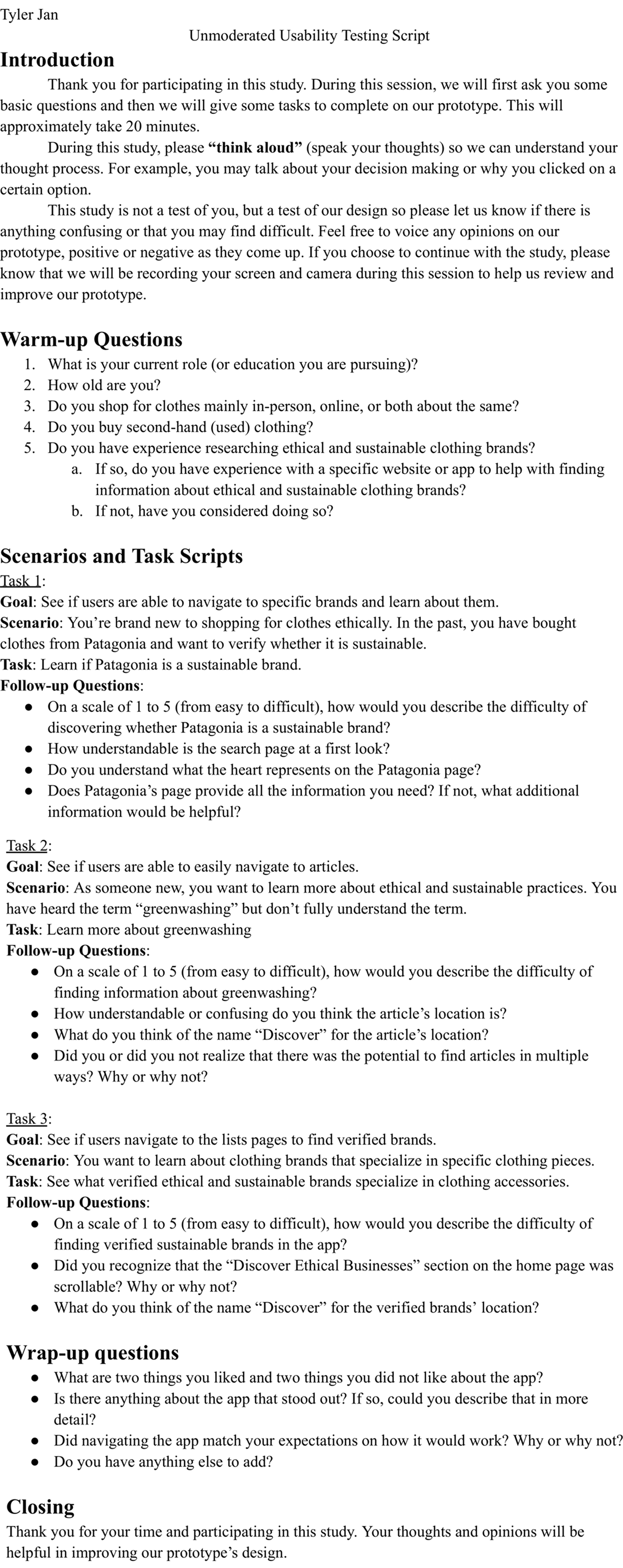
Using the feedback gathered from the moderated and unmoderated user testing we conducted, we made changes to our prototype to improve usability. A few of the key changes we made include:
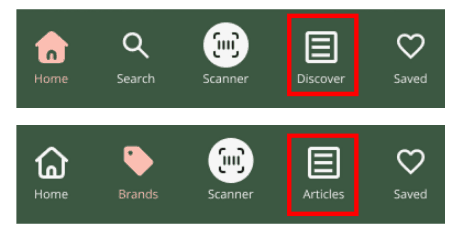
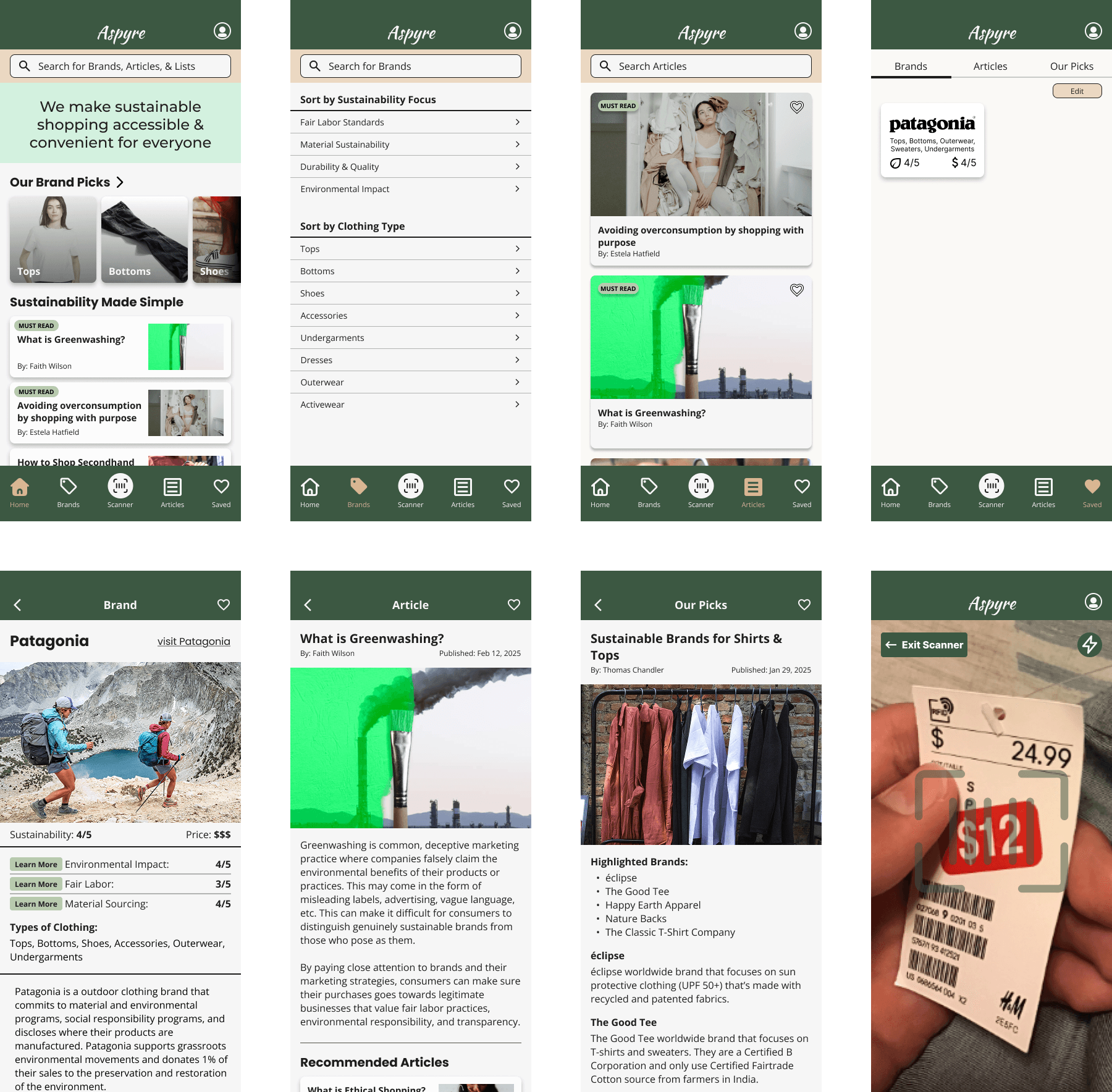
Changed the "Search" tab to the "Brands" tab
Users tended to not go to the search page and used the search bar available on the “Home” page. Additionally, some were confused with the “Search” page because it was intended to only look up brands. To better match that function, we changed the name and icon.
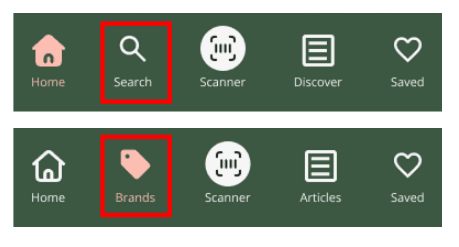
Changed the “Discover” tab to the “Articles” tab
Some users were unsure of the “Discover” page’s purpose until they clicked on it. To make this clearer, we changed the name to “Articles.”
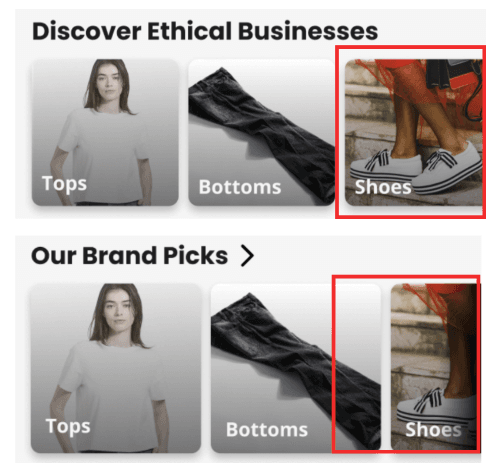
Updated the “Our Brand Picks” section to clearly indicate its scrollable functionality
Some users did not realize they could scroll the tiles in this section. To fix this, we increased the tile sizes so more of a tile would “hang-off” the screen. We also added a fade to the right side of the screen.
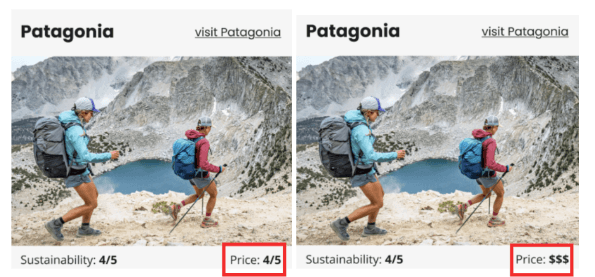
Changed the price indicator on brands
It was not immediately obvious if the number on the price indicated whether it was cheap or expensive. For example, users did not know if a low number like 1 meant cheap or expensive. Using the “$” symbol makes it clearer that less “$” symbols mean cheaper and more “$” symbols mean expensive.
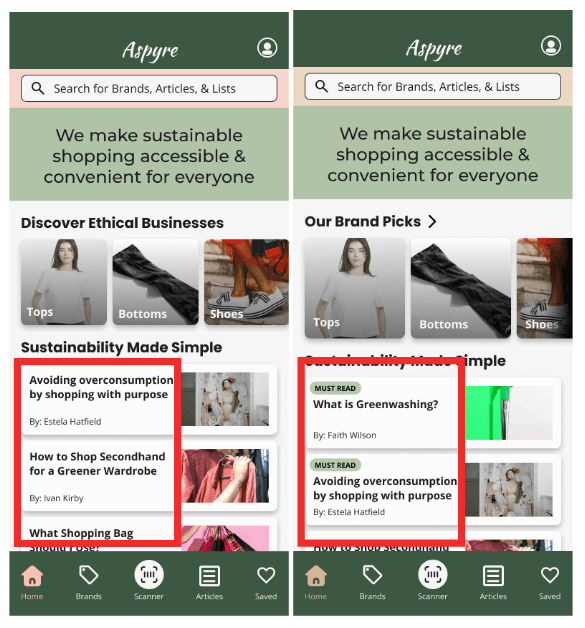
Labeling especially useful articles with tags
Initially, our articles were all labelled the same, which was overwhelming for users who reported that they didn’t have any experience with ethical brand research. Thus, we included labels in our updated prototype to guide the users to foundational information for their foray into ethical shopping.
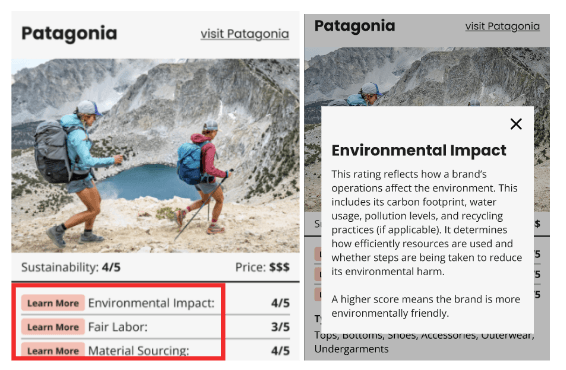
Adding Descriptions of Rating Categories
Initially, our articles were all labelled the same, which was overwhelming for users who reported that they didn’t have any experience with ethical brand research. Thus, we included labels in our updated prototype to guide the users to foundational information for their foray into ethical shopping.
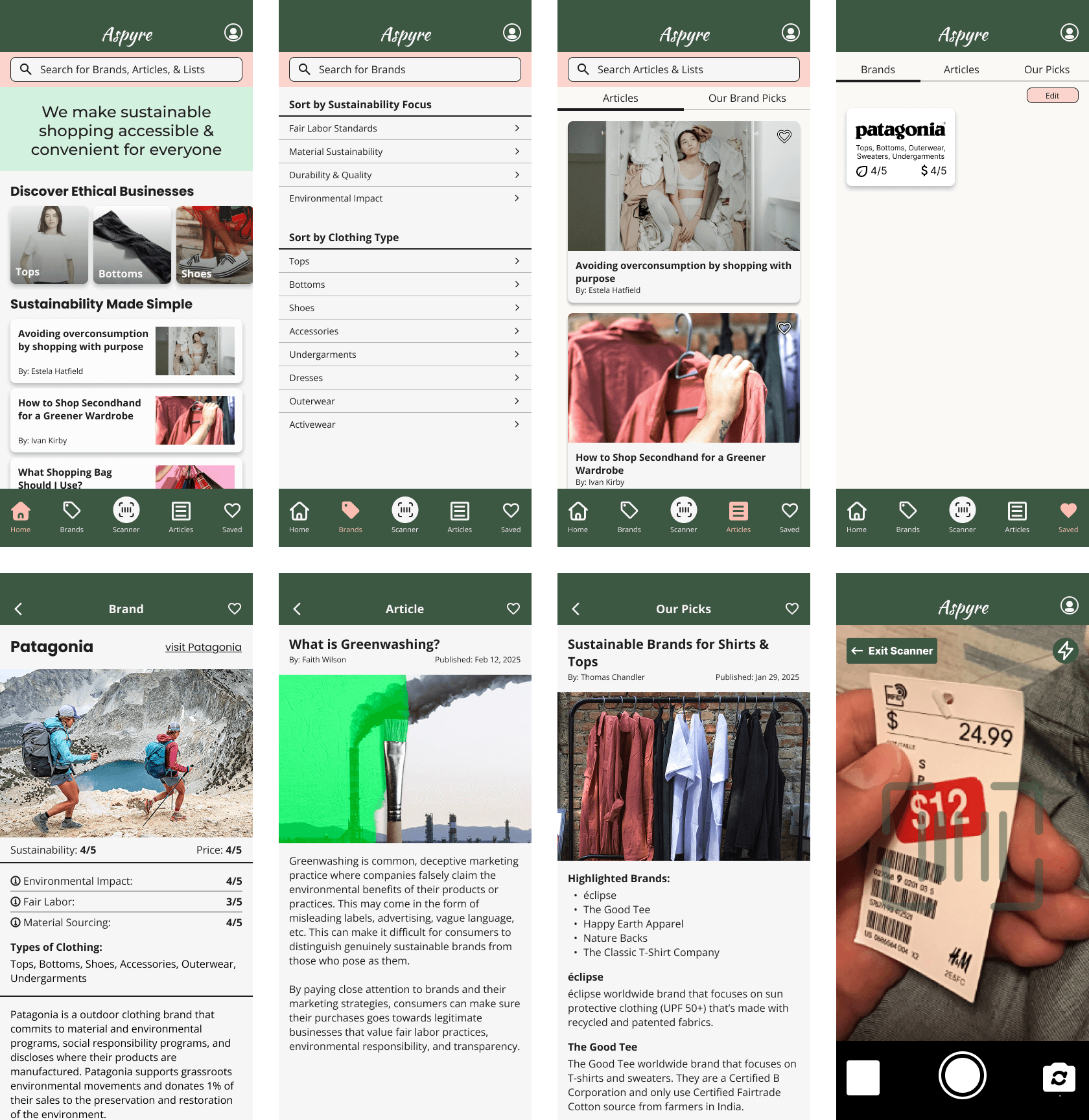
Final Prototype
What I Learned
During this project, I gained valuable experience in user research. To learn more about potential users, I conducted a contextual inquiry with an ethical shopper, gathering insights into their needs and behaviors. After creating our first prototype, we conducted both moderated and unmoderated user testing to find out what works and what could be improved. Through this process, I realized how important it is to carefully craft research questions to avoid leading or double-barreled questions. After each test, as a group, we compiled our findings and pointed out key issues that could be resolved.